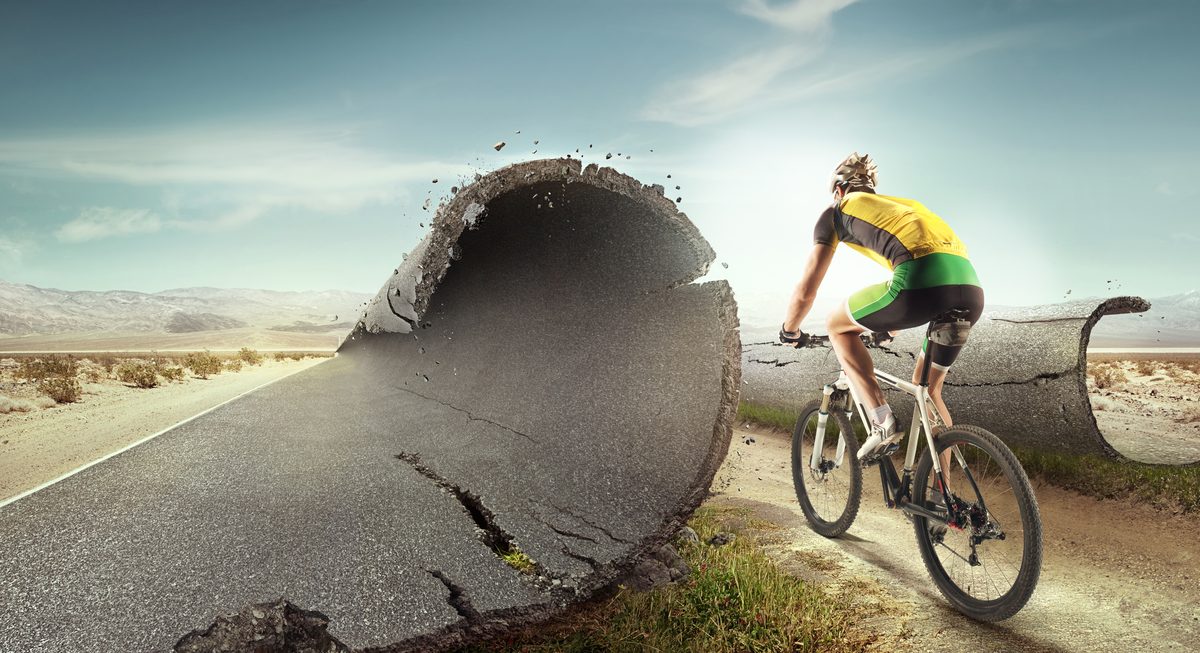
People ask me about my workflow more than any other topic. After twenty-five years of professional compositing, I’ve refined a process that keeps projects organized, minimizes wasted effort, and consistently produces results I’m proud of. Here’s the full breakdown.
Phase 1: Concept and Planning
Every composite starts with a clear idea. Not a vague notion — a specific vision. I sketch it out, either on paper or as a rough digital mockup. This sketch establishes composition, mood, lighting direction, and the relative positions of all elements.
Planning is where I make my most important decisions:
- What’s the light source? Direction, quality, color temperature — I define this before I shoot or search for any elements.
- What’s the perspective? Camera height, angle, and focal length. Every element I acquire must match these parameters.
- What’s the mood? Dark and dramatic? Bright and ethereal? This drives my color palette and atmospheric decisions.
I also create a shot list if I’m photographing elements specifically for the composite. Each shot has notes about the required lighting setup, camera angle, and any matching requirements.
Phase 2: Element Acquisition
With the plan established, I gather my source material. This means either shooting elements in my studio with controlled lighting, or sourcing them from stock libraries.
When shooting, I match every element to the lighting and perspective specifications from my concept sketch. I shoot tethered so I can preview compositions in real time. Every element gets photographed against a backdrop that provides clean separation for masking.
When sourcing from stock, I apply the criteria I’ve discussed elsewhere: matching light direction, compatible perspective, sufficient resolution, and clean extraction potential. I reject far more stock images than I accept.
I organize all elements in a project folder with clear naming: bg_main.tif, subject_01.psd, sky_replacement.tif, foreground_rocks.tif. A few minutes of organization saves confusion throughout the project.
Phase 3: Rough Assembly
Before I invest time in perfect masking and detailed adjustments, I do a rough assembly. This means placing all elements approximately where they’ll go using quick selections and rough masks.
This phase exists to catch problems early. Does the perspective actually work once things are assembled? Is the scale right? Does the composition feel balanced? Are there elements I need that I don’t have?
I spend maybe 30 minutes on this rough assembly. It’s not pretty — the masks are rough, the colors don’t match, the lighting isn’t adjusted. But it tells me whether my concept is viable before I invest hours in finishing work.
If problems emerge — and they often do — it’s far cheaper to fix them now than after I’ve spent four hours on perfect hair extraction.
Phase 4: Extraction and Masking
Now I work through each element systematically, creating clean, precise masks. I start with the background and work forward because each layer provides context for the elements in front of it.
My masking approach varies by element. Hard-edged architectural elements get pen tool paths. Organic shapes with soft edges get Select and Mask treatment. Hair gets the specialized extraction process. Every element gets its own layer group with the mask applied.
I check each mask against multiple backgrounds — not just the composite background, but also solid black, solid white, and a contrasting color. Each view reveals different edge problems.
Phase 5: Light and Shadow
With clean elements in place, I address lighting. This is the phase where the composite starts to feel real.
For each element, I evaluate whether the existing lighting matches the scene. Where it doesn’t, I use dodge and burn, curves adjustments, and painted light effects to bring it into alignment.
Then I create shadows — contact shadows, cast shadows, and ambient occlusion. I paint reflected light where surfaces would bounce light onto nearby elements. I add edge lighting where rim light from the scene’s light source would catch element boundaries.
Phase 6: Color and Atmosphere
I unify the color palette across all elements using curves adjustments, color matching, and targeted hue/saturation adjustments. I add atmospheric perspective to elements at different distances — reducing contrast and saturation, adding haze, and softening details on distant elements.
This phase also includes any atmospheric effects: fog layers, light rays, dust particles, lens flare. These should be subtle and serve the mood, not demonstrate technical skill.
Phase 7: Final Polish
The final phase ties everything together. I flatten a copy and apply global adjustments: final color grading, unified sharpening, and a noise layer that ties all elements together visually.
I check the composite at multiple zoom levels — full image for overall impression, 50% for composition and balance, 100% for technical quality. I flip it horizontally to check for problems I’ve gone blind to.
Then I step away for at least an hour. Fresh eyes catch things tired ones miss. I make final corrections, export, and call it done.
The workflow isn’t glamorous. It’s systematic, methodical, and sometimes tedious. But it produces consistent, professional results, and that’s what matters.
Comments (3)
The masking techniques here are next level. I use similar approaches for hair extraction in my beauty work.
Great write-up! Would love to see more content like this. Maybe a video tutorial version?
I teach a photography class and I'm adding this to my recommended reading list.
Leave a Comment